
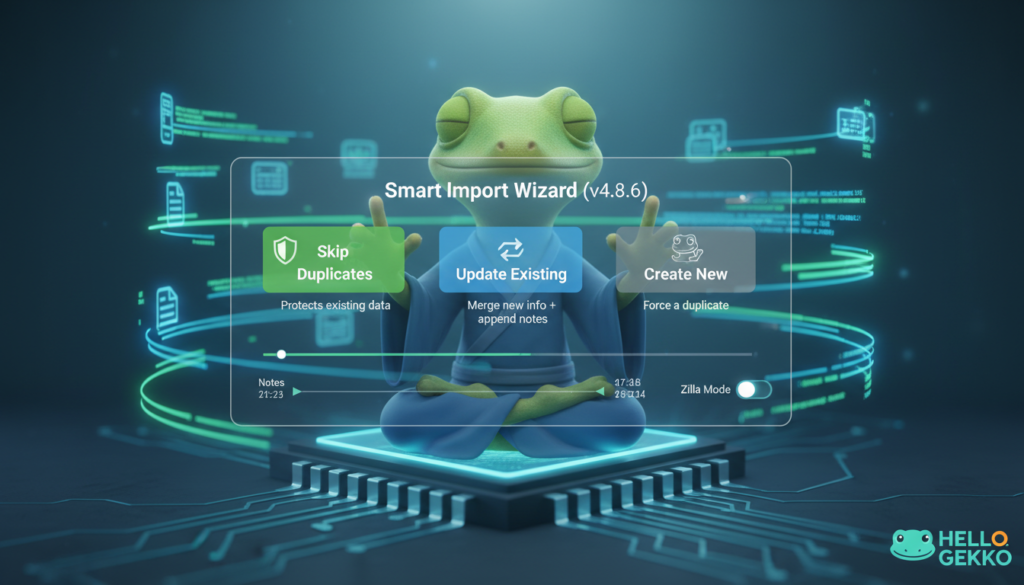

Stop the Data Migration Nightmare
Let’s be honest: Moving data is usually a nightmare. There is nothing quite as anxiety-inducing as staring at a massive CSV file full of customer names, emails, and messy addresses, hovering your mouse over the “Import” button, and praying you don’t accidentally corrupt your entire database.
We built Hello Gekko to bring calm to your business chaos. That’s why Zen, our Operations Gekko, has just received a massive upgrade.
We are thrilled to introduce the Smart Import Wizard (available now in v4.8.6). It’s not just a file uploader; it’s a data reconciliation engine designed to keep your contact list clean, accurate, and duplicate-free.
🛡️ The Safety Net: Intelligent Duplicate Detection
The biggest fear with importing contacts is creating a mess of duplicates. You don’t want “John Smith” in your system three times—once with a phone number, once with an email, and once with just a name.
Zen now analyzes your CSV file before it touches your database. It cross-references email addresses against your existing records and alerts you if it finds matches. You are then given full control with three smart strategies:
- Skip Duplicates: The safest route. If Zen recognizes an email, he simply ignores the new row and protects your existing data.
- Update Existing: The power move. Zen will find the existing contact and merge the new data in. Did you get a new phone number or address for an old lead? This updates their profile without creating a second record.
- Create New: Need to force a duplicate? You have the option (though Zen might raise an eyebrow at you).
📝 History Is Sacred: Smart Note Appending
One of the most requested tweaks was how we handle notes during an import. Previously, updating a contact might overwrite their history. Now, Zen treats your history as sacred. If you choose the “Update Existing” strategy, any notes found in your CSV are automatically appended to the contact’s timeline with a timestamp. You keep your old context while adding the new information.
🧠 Smarter Mapping & “Zilla Mode”
We’ve refined how Zen understands your data with two key improvements:
- Business vs. Residential: The importer now correctly detects and saves Sales Contact Types. If your spreadsheet says a lead is “Residential,” Zen respects that classification instantly.
- The “Zilla Mode” (Legacy Support): For our power users migrating from complex legacy systems, we’ve added a Reference Map feature. If your old export uses cryptic ID numbers for Markets or Areas (like 1044 instead of Dallas), you can upload a reference file, and Zen will translate those IDs into real names on the fly.
🧘♀️ Finding the Flow
Data entry shouldn’t be a chore, and migration shouldn’t be a risk. With the new Import Wizard, you can bring your external lists into Hello Gekko with confidence, knowing that Zen is checking every row to ensure your Customer Hub remains a source of truth, not a source of stress.
Ready to try it? Head over to the Operations (Zen) department and click on the Imports tab to see the new wizard in action.
Ready to try Hello Gekko? Go to HelloGekko.net and get started for free!